How to verify carrier compatibility for eSIM
25/04/2026
Understanding eSIM and Carrier Compatibility
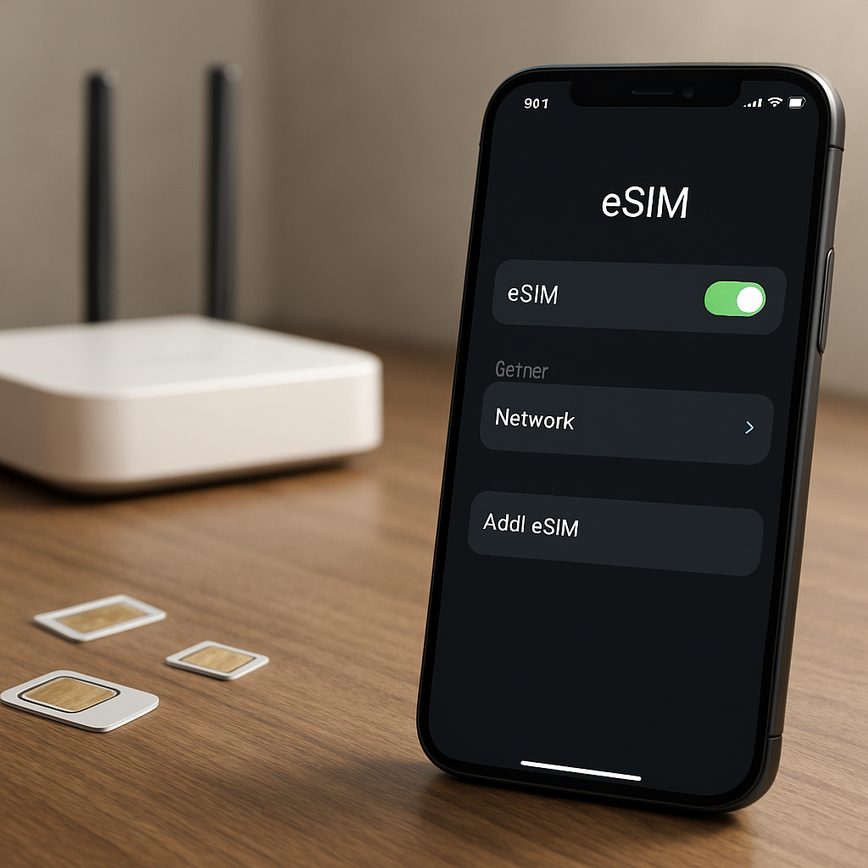
eSIM technology represents a significant advancement in mobile connectivity, redefining how users manage their cellular plans. Unlike traditional SIM cards, which are physical cards inserted into a phone, an eSIM (embedded SIM) is a small chip embedded directly into a device during manufacturing. This embedded nature offers enhanced flexibility and convenience, allowing users to switch carriers or activate new plans without needing to swap out physical cards.
At its core, eSIM basics revolve around digital profile management. Instead of relying on physical cards, users can download and install carrier profiles over the air. This means that changing carriers or adding secondary lines can be done instantly through settings menus or carrier apps, without visiting a store or waiting for postal deliveries. The eSIM features support multiple carrier profiles on a single device, enabling seamless switching between different networks, ideal for travelers or those who need to separate work and personal lines.
However, carrier compatibility remains a critical factor in leveraging the full benefits of eSIM technology. Not all carriers support eSIM functionality, and among those that do, the availability of eSIM plans and features can vary widely by region and device type. Understanding carrier compatibility is essential because an eSIM-enabled device will only function properly if the carrier’s network supports eSIM profiles and has provisioned the service correctly.
For users, knowing what is eSIM is only part of the equation; recognizing if their preferred carriers support eSIM features can prevent connectivity issues and ensure smooth mobile experiences. Carrier compatibility affects not only activation but also ongoing service quality, access to customer support, and the ability to use carrier-specific features like VoLTE or advanced network protocols on an eSIM profile.
As eSIM becomes increasingly popular, especially in new devices like the latest smartphones, tablets, and laptops, understanding both the technology and carrier compatibility is crucial. This knowledge empowers users to make informed decisions when selecting providers, plan activations, and managing multiple mobile lines with ease and confidence.
What is an eSIM?
An eSIM, or embedded SIM, is a modern alternative to the traditional physical SIM card used in mobile devices. Unlike a physical SIM that you insert into your phone, an eSIM is a digital SIM embedded directly into the device’s hardware. This innovative technology eliminates the need to swap SIM cards when changing carriers or plans, making the process seamless and convenient.
The eSIM explained simply means your device has a built-in chip that can be programmed with multiple carrier profiles. This makes it easy to switch networks or add new plans without purchasing a new physical SIM card. The embedded SIM offers greater flexibility, especially for frequent travelers or users who require multiple cellular plans on a single device.
One of the primary benefits of an eSIM is its ability to support multiple profiles simultaneously, enabling dual SIM functionality without the need for two physical SIM slots. This digital SIM also contributes to better device design by freeing up space previously occupied by SIM card trays, allowing manufacturers to create slimmer, more waterproof, and robust smartphones. Overall, understanding the eSIM definition highlights how this technology is transforming connectivity by making mobile network management easier, faster, and more efficient.
Why Carrier Compatibility is Important
Verifying carrier compatibility before using an eSIM is crucial due to various carrier restrictions and network compatibility issues that can arise. Not all carriers support eSIM technology, and even among those that do, there can be limitations based on the device model, region, or plan type. Without ensuring carrier support, users risk facing connectivity problems or being unable to activate their eSIM altogether.
Carrier restrictions may include limitations on the use of eSIM with certain data plans or restrictions on tethering capabilities. Additionally, network compatibility varies, as carriers might operate on different frequencies or technologies that do not align with the eSIM profile loaded on the device. This can lead to limited service availability or degraded network performance.
Understanding these eSIM limitations prior to activation helps users avoid inconvenience, such as being left without mobile service when needed most. It also informs better decision-making when selecting a carrier or plan by highlighting which providers offer seamless eSIM integration and robust network coverage. Ultimately, confirming compatibility safeguards the user experience by ensuring the eSIM will function correctly with the chosen carrier.
In summary, checking carrier support and network compatibility mitigates the risk of technical issues, maximizes connectivity reliability, and fully leverages the benefits that eSIM technology promises for flexible and efficient mobile communication.
Step-by-Step Guide to Verify Carrier Compatibility for eSIM
Verifying carrier support for eSIM functionality is essential to ensure a smooth eSIM activation experience. Follow this detailed step-by-step guide to check if your carrier supports eSIM and how to verify carrier compatibility thoroughly.
- Identify Your Carrier: Begin by pinpointing the mobile carrier you want to use your eSIM with. This is critical since different carriers have varying levels of support for eSIM technology.
- Visit the Carrier’s Official Website: Most carriers provide updated details about their eSIM services on their official websites. Look for sections related to mobile plans or device support to check eSIM compatibility and any specific requirements.
- Use Carrier Compatibility Lists: Several device manufacturers and third-party websites maintain updated lists of carriers that support eSIM. Use these resources to confirm if your carrier is listed as supporting eSIM.
- Contact Carrier Support: If the website does not provide clear information, call or chat with your carrier’s customer service to inquire directly about eSIM activation options and supported devices.
- Check Device Compatibility: Ensure your smartphone or device supports eSIM technology by checking manufacturer specifications. Support for eSIM is critical to verify carrier compatibility effectively.
- Confirm Available Plans: Some carriers restrict eSIM activation to certain plans or regions. Verify that your current or intended plan supports eSIM activation to avoid any service interruptions.
- Use Carrier Apps or Portals: Some carriers provide apps or online portals where you can manage your account and activate eSIMs directly. Check if such tools are available for your carrier and if your device is supported within those systems.
- Test Activation Process: If possible, try to activate the eSIM with your carrier before fully switching over. This helps in identifying any issues early and ensures the carrier supports eSIM activation for your account.
- Keep Documentation Ready: When verifying carrier compatibility, have your device details, account information, and any necessary identification documents handy. This ensures clear communication with carrier representatives.
- Stay Updated: Carrier support for eSIM technology is continually evolving. Regularly check for updates from your carrier and device manufacturer to stay informed about any changes or new compatibility features.
Check Your Carrier’s eSIM Support
To verify if your network provider eSIM is supported, start by visiting the official website of your carrier. Most compatible carriers maintain updated carrier lists or dedicated sections on their websites highlighting their eSIM capabilities. Look for pages titled “eSIM support,” “device compatibility,” or “mobile plans” which often detail if the carrier supports eSIM technology. These pages usually provide information about which plans and devices are compatible, helping you confirm if your carrier offers the service.
If the website does not have clear information about carrier eSIM support, contacting customer service is the next best step. Reach out via phone, email, or live chat to ask a representative directly about their eSIM offerings. Customer service teams can provide the most current and detailed answers about whether your carrier supports eSIM connections, any restrictions in place, and how to activate it on your device. This approach ensures you get accurate details tailored to your specific carrier and location.
Using these methods to check your carrier’s eSIM support will help you avoid compatibility issues and make sure you can enjoy the benefits of eSIM technology. By leveraging carrier lists on official websites and verifying with customer service, you can confidently choose carriers that match your device’s eSIM capabilities and enjoy seamless connectivity.
Verify Device Compatibility with Your Carrier
Before activating an eSIM, it’s essential to confirm that your device is compatible with your chosen carrier. Start by identifying whether your phone or device supports eSIM functionality. Most modern smartphones, tablets, and wearables now include eSIM support, but it’s crucial to verify this for your specific model.
Next, visit your carrier’s official website and look for their carrier device list or compatible phones section. This list provides detailed information on which devices are approved and supported for eSIM use on their network. Carriers often include model numbers, operating system version requirements, and any additional compatibility notes here.
If you can’t find this information online, you can also contact your carrier’s customer support team for confirmation. They can tell you if your device compatibility aligns with their eSIM offerings and guide you through the activation process.
Ensuring device compatibility not only helps avoid activation issues but also guarantees you can fully utilize all the features the carrier offers through eSIM technology. Taking these steps to verify device compatibility before purchasing or activating will save you time and ensure a smooth eSIM experience.
Use Carrier Apps and Online Tools
Carrier apps and online verification tools are essential resources for confirming eSIM compatibility before activation. Many mobile carriers provide dedicated carrier apps that users can download on their smartphones. These apps often include an eSIM activation check feature, which allows users to quickly determine whether their device supports the carrier’s eSIM service. By entering device details or scanning the device’s information, the carrier app can verify compatibility and streamline the activation process.
Similarly, carrier compatibility checkers available on carrier websites serve as convenient online verification tools. These online tools are designed to assess if a particular phone model is supported for eSIM activation under the carrier’s network. Users simply input relevant information such as the device model or IMEI number to receive immediate confirmation. This not only helps avoid purchasing incompatible eSIM plans but also simplifies the overall setup experience.
Using a carrier app or an online verification tool ensures that you receive accurate and up-to-date information directly from your service provider. It eliminates guesswork and significantly reduces errors during eSIM activation. These tools are indispensable for users looking to maximize compatibility and enjoy hassle-free access to their carrier’s mobile services through eSIM technology.
Common Issues and Solutions When Verifying eSIM Compatibility
When verifying eSIM compatibility, users frequently encounter several common issues that can complicate the carrier verification process. Understanding these typical eSIM issues and how to approach compatibility troubleshooting can save time and prevent activation errors.
One frequent problem arises when the mobile device or carrier does not support eSIM activation. Not all carriers offer eSIM services, and some older devices may lack the necessary hardware or software updates. To resolve this, double-check your device model’s support for eSIM and confirm with the carrier that they provide eSIM plans and support for your region.
Another common carrier verification problem is related to network restrictions or locked devices. If a device is locked to a specific carrier, attempts to activate an eSIM with another provider’s profile will result in activation errors. Ensuring the device is unlocked or using an eSIM compatible with the locked carrier’s network is essential. Contacting the current carrier to unlock the device is often required before proceeding.
Activation errors may also occur due to incorrect or expired QR codes or activation codes provided by the carrier. These digital keys are essential for linking the eSIM profile to the network. If an error happens during scanning or entering the code, verify with the carrier that you have the latest and correct activation information and try rescanning carefully. Sometimes, carrier support can resend a valid QR code if needed.
Sometimes, compatibility troubleshooting involves software glitches or outdated device firmware. Ensuring your device runs the latest operating system updates can eliminate many issues causing failed eSIM activations. Restarting the device and resetting network settings can also resolve minor glitches affecting carrier verification.
Lastly, cross-checking carrier compatibility through carrier support websites or community forums often helps. Carriers periodically update their networks, and some eSIM profiles might not yet be supported. Keeping abreast of carrier announcements or seeking assistance from customer service can clarify which eSIM activation steps suit your specific scenario.
By addressing these eSIM issues methodically—checking device and carrier support, ensuring unlocked status, verifying activation codes, updating software, and consulting carrier resources—you can effectively overcome carrier verification problems and minimize activation errors for a seamless eSIM experience.
Unsupported Carrier or Region
When you encounter an unsupported carrier or face region restrictions where there is no eSIM coverage, it means the carrier does not provide eSIM services in that area. Carrier limits like these can be frustrating, especially if you rely on eSIM for convenience and flexibility. In such cases, it’s important to explore alternative options to stay connected.
First, verify if the carrier plans to enable eSIM support in the near future, as some providers are gradually expanding their eSIM compatibility. If your primary carrier doesn’t support eSIM, consider switching to a different carrier that offers comprehensive eSIM coverage in your region. Research local operators or global carriers known for strong eSIM infrastructure to find a suitable alternative.
If switching carriers is not feasible, another option is to use a physical SIM card. Many devices that support eSIM also include a slot for traditional SIM cards, allowing you to insert a physical SIM as a backup. Although less convenient, this ensures you maintain mobile service without interruption.
Finally, for frequent travelers, global eSIM providers or travel-specific eSIM plans can offer a workaround for region restrictions. These providers often offer broad international coverage where your local carrier may not have eSIM support.
In summary, if faced with an unsupported carrier or region lacking eSIM coverage, check carrier plans, switch to compatible operators, use physical SIM alternatives, or explore global eSIM solutions to bypass carrier limits effectively.
Device Not Recognized by Carrier
If your device is not compatible or you encounter a carrier device mismatch, it can prevent successful eSIM activation. When the device is not detected or approved by the carrier, follow these troubleshooting steps to resolve common device support issues.
- Verify Device Compatibility: Confirm that your device model supports eSIM functionality and is listed as compatible by your carrier. Some devices may not support eSIM or might be restricted by specific carriers, causing activation failures.
- Check Carrier Requirements: Review the carrier’s official website or contact customer support to ensure your device meets all their technical requirements. Carrier device mismatches often happen when the device firmware or hardware versions are outdated.
- Update Device Software: Install the latest operating system updates on your device. Some carriers require updated software to properly recognize and support eSIM activation.
- Restart Your Device: A simple restart can sometimes resolve temporary issues where the device is not recognized by the carrier.
- Reset Network Settings: On your device, reset network settings to clear cached data that may interfere with carrier recognition. Keep in mind this will remove saved Wi-Fi passwords and VPN configurations.
- Contact Carrier Support: If the previous steps don’t resolve the issue, reach out to your carrier’s technical support team. Provide them with your device details and error messages to get assistance for the device support issue.

I’m a lifelong traveler who fell in love with the freedom that eSIM technology offers. Exploring new places while staying seamlessly connected has become my personal mission, and I love sharing practical tips on managing mobile data abroad. When I’m not testing the latest eSIM platforms, I’m mapping out the next adventure.