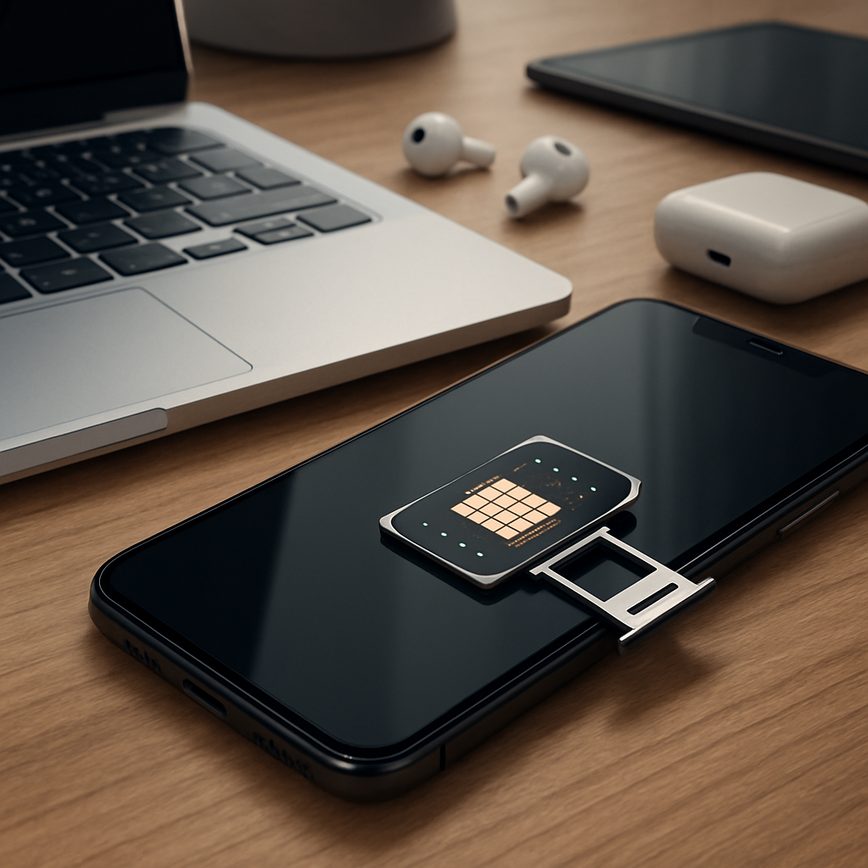
How to transfer eSIM between devices
08/05/2026
Understanding eSIM Technology
eSIM technology represents the next evolution in mobile connectivity, fundamentally changing how users access cellular networks. An eSIM, or embedded SIM, is a digital SIM that is permanently embedded into a device’s hardware. Unlike traditional SIM cards, which are physical cards that users insert or swap between devices, the eSIM is programmed electronically. This embedded SIM allows users to activate a cellular plan without needing a physical card, offering a seamless and flexible connection experience.
The primary difference between eSIM technology and conventional SIM cards lies in the physical form factor and management method. Traditional SIM cards require a removable plastic card that must be inserted into each device. These cards can be lost, damaged, or require manual swapping when changing devices or carriers. In contrast, eSIM basics eliminate these issues by integrating the SIM functionality directly into the device’s motherboard. Users can download and manage multiple digital SIM profiles remotely, without ever handling a physical card.
Embedded SIMs bring numerous benefits to users. One significant advantage is convenience. With eSIM technology, switching carriers or plans can be done instantly through software settings, without the need to visit a store or wait for a SIM card delivery. This feature is especially useful for frequent travelers who want to avoid expensive roaming fees by easily adding local carriers’ profiles. Additionally, the integration of the digital SIM frees up device space and enhances water and dust resistance by eliminating the SIM slot.
Another benefit of eSIM technology is improved security. Since the SIM profile is stored digitally inside the device, it is harder to remove or tamper with compared to a traditional SIM card that can be physically stolen or swapped. For device manufacturers and service providers, eSIMs also reduce manufacturing complexity and logistics related to producing, distributing, and managing physical SIM cards. Overall, the embedded SIM is a modern solution tailored for the increasingly mobile and connected world, offering flexibility and efficiency not possible with traditional SIM cards.
What is an eSIM?
The eSIM, short for embedded SIM, represents a revolutionary advancement in SIM technology. Unlike traditional physical SIM cards, an eSIM is a digital SIM card embedded directly into a device’s hardware. This eliminates the need for a removable card and allows users to activate a mobile network plan without having to physically swap SIM cards.
The concept of the eSIM originated from the need to simplify connectivity and enhance device flexibility. Standardized by the GSMA, the organization that oversees SIM card standards, the eSIM was introduced to support the growing ecosystem of connected devices, ranging from smartphones and tablets to wearable technology and IoT gadgets. This digital SIM card format helps manufacturers save space inside devices by removing the SIM tray.
In modern devices, the eSIM works by securely storing the user’s mobile subscriber identity and related information. This data can be programmed and updated remotely by carriers, allowing users to switch network providers or plans without needing a new physical SIM card. The ease of managing multiple profiles on one device is another key benefit of the eSIM, making travel and multi-network usage much more convenient.
As eSIM technology continues to grow in adoption, it is set to become the new standard for mobile connectivity, representing a future where digital SIM cards replace physical ones entirely, simplifying and enhancing everyday mobile experiences.
Advantages of Using eSIM
eSIM technology offers numerous benefits that make it a superior choice compared to traditional physical SIM cards. One of the most significant eSIM benefits is the remarkable flexibility it provides. Users can easily switch between carriers without needing to insert or swap physical SIM cards, simplifying the process of managing mobile plans. This flexibility is particularly useful for frequent travelers or those who want to take advantage of different network providers for better coverage or pricing.
Another key advantage of eSIM is its space-saving design. Since eSIMs are embedded directly into the device, they eliminate the need for a physical SIM slot. This frees up valuable space inside smartphones and other devices, allowing manufacturers to create slimmer designs or use the extra room for improved battery capacity and components. The absence of a SIM card tray also reduces the risk of damage and wear from frequent SIM card changes.
Moreover, eSIM enables multi-network access without the hassle of carrying multiple SIM cards. Users can store multiple eSIM profiles on a single device, meaning they can switch networks or use different numbers for work and personal use easily. This capability enhances connectivity options and provides greater convenience, especially for users who rely on different carriers for business or travel.
In summary, the main eSIM benefits lie in its flexibility, space-saving design, and ability to switch carriers seamlessly. These advantages make eSIM an innovative and practical choice for modern mobile users seeking convenience and enhanced connectivity.
How to Transfer eSIM Between Devices
Transferring your eSIM profile from one device to another is a straightforward process if you follow the right steps. Whether you’re upgrading to a new phone or simply switching devices, this guide will help you safely move your eSIM without losing your cellular connection. Below is a step-by-step guide to ensure a smooth eSIM migration.
- Check Device Compatibility: Before you begin the transfer eSIM process, ensure that both the old and new devices support eSIM technology and are unlocked if using a carrier-specific eSIM.
- Backup Your Data: Although eSIM profiles are stored digitally, it’s wise to backup important data on your current device to avoid any accidental loss during the switch eSIM process.
- Access Your Current eSIM Profile: On your old device, go to the cellular or mobile data settings where your eSIM is managed. Most devices have an option to view or export eSIM profiles.
- Deactivate or Remove the eSIM from the Old Device: To transfer eSIM safely, deactivate the profile on your old device. This step can prevent any conflicts and ensures the profile can be activated on the new device.
- Obtain the QR Code or Activation Code: Depending on your carrier, you may need a QR code or an activation code to set up your eSIM on the new device. You can usually retrieve this from your carrier’s app, website, or customer support.
- Set Up the eSIM on the New Device: On the new device, navigate to the cellular or mobile data settings and choose the option to add a new mobile plan. Scan the QR code or enter the activation code as provided by your carrier.
- Verify the New eSIM Activation: Once the eSIM profile is added, check that your cellular signal is active and that you can make calls, send texts, and use mobile data. If you experience any issues, contact your carrier for assistance.
- Remove the Old eSIM Profile Permanently: After confirming the new device is working perfectly with the eSIM, you can permanently delete the eSIM profile from the old device.
By following these steps, you can easily switch eSIM from one device to another without any interruption in service. Remember, each carrier might have specific procedures or requirements for eSIM migration, so double-check with your service provider if needed. This method ensures a safe and efficient transfer eSIM experience.
Preparing to Transfer Your eSIM
Before transferring your eSIM to a new device, it is essential to confirm device compatibility. Not all devices support eSIM technology, so check whether your new device is eSIM-enabled and compatible with your carrier’s network requirements. Device manufacturers usually provide this information in the specifications or support sections of their websites.
Next, consider performing an eSIM backup if your current device or carrier offers this option. Backing up your eSIM data can help prevent data loss during the transfer process and ensure that your mobile connectivity is quickly restored on your new device. Although some carriers manage eSIM profiles centrally, having a backup is a good precaution.
Additionally, it is advisable to contact your carrier before starting the transfer. Your carrier can provide guidance on the specific network requirements, any necessary authorization or activation steps, and potentially assist with transferring your eSIM profile to the new device. This step can help avoid interruptions in service and ensure a smooth transition.
By checking device compatibility, performing an eSIM backup, and consulting your carrier about network requirements, you can prepare adequately for transferring your eSIM, minimizing the risk of connectivity issues or data loss during the switch.
Step-by-Step eSIM Transfer Process
Transferring your eSIM between devices involves a few precise steps to ensure seamless connectivity. First, on your old device, navigate to the settings menu where your eSIM profiles are managed. For iOS, go to Settings > Cellular > eSIM, and for Android, this is typically found under Network > Mobile Network > SIM card manager.
Begin by selecting the eSIM profile you wish to transfer and choose the option to delete or remove it from the old device. This step is crucial to deactivate the eSIM on your current device and avoid conflicts during activation on the new one.
Next, on your new device, proceed to the eSIM activation section. Depending on your carrier, you might use their dedicated app or the device’s built-in settings. If using an app, open it and follow the prompts to activate the eSIM—this usually involves scanning a QR code provided by your carrier or entering a confirmation code.
The transfer steps might vary slightly by carrier or device, so always check for on-screen instructions. After activation, ensure your new device is properly set up by confirming network connectivity and cellular data functionality through a quick test call or internet usage.
Including screenshots in the activation app or device settings menu can be helpful. For example, the screen showing the pending eSIM profile download and activation confirmation are key moments worth capturing.
Troubleshooting Common Transfer Issues
When transferring an eSIM between devices, users often encounter several common issues that can disrupt the process. One frequent challenge is encountering eSIM errors during activation on the new device. These errors may arise due to incorrect QR code scanning, expired activation codes, or incompatibility between the carrier’s eSIM profile and the device. To avoid this, ensure you have the latest activation details from your carrier and that both devices support eSIM functionality fully.
Transfer problems can also result from software glitches or outdated operating system versions. Before starting the transfer, update both devices to the latest software version and restart them to clear any temporary bugs that might interfere. Additionally, make sure you have a stable internet connection because carriers require online verification during the transfer process.
If problems persist, reaching out to carrier support is crucial. Carrier support teams can provide a fresh eSIM activation code, reset your profile, or guide you through device-specific transfer steps. Having your account details and device information at hand will speed up this support process.
By understanding these common pitfalls and following proactive tips like verifying device compatibility, keeping software updated, and maintaining contact with carrier support, users can significantly reduce eSIM transfer problems and enjoy a smooth transition to their new device.
Tips for Managing Your eSIM Securely
Managing your eSIM securely is crucial to protect your private data and ensure seamless device management without risking unauthorized access. As eSIM technology grows in popularity, safeguarding your digital identity becomes more important than ever. Here are essential tips to keep your eSIM data safe during transfers and everyday use.
First, always use strong authentication methods on your devices, such as PINs, passwords, or biometric locks. These barriers help prevent unauthorized users from accessing your eSIM profile if your device is lost or stolen. Remember that the security of your eSIM is closely tied to the device’s overall security, so keeping your device protected is paramount.
Second, when transferring your eSIM between devices, only use official carrier apps or trusted methods recommended by your network provider. Avoid third-party tools or unofficial platforms, as they may compromise your eSIM security and expose your private data to risks. Always verify the source before initiating an eSIM transfer.
Next, make sure to deactivate or remove your eSIM profile from any old or unused devices promptly. This practice reduces the chances of someone else exploiting your eSIM information. Some carriers provide remote deactivation or blocking features, which add an extra layer of security when managing multiple devices.
Stay aware of phishing attempts and suspicious messages that might request your eSIM details or activation codes. Scammers often use social engineering to trick users into handing over sensitive information that can jeopardize eSIM security. Never share your activation codes or personal data with unverified contacts.
Finally, regularly update your device’s firmware and operating system. Software updates frequently include security patches that protect against newly discovered vulnerabilities. Keeping your device up-to-date strengthens the defenses around your eSIM and private data.
By following these best practices, you can confidently manage your eSIM without compromising security. Prioritizing eSIM security helps maintain your privacy and ensures that your digital connectivity remains safe and reliable across all your devices.
Protecting Your eSIM Information
When it comes to safeguarding your eSIM credentials, prioritizing data protection is essential. One of the most effective measures is the use of encryption technology, which secures your eSIM data against unauthorized access. Encryption transforms your sensitive information into a coded format, ensuring that even if intercepted, it remains unreadable to malicious actors.
Additionally, leveraging the privacy settings on your device plays a crucial role in maintaining eSIM security. Modern smartphones and tablets offer robust security features such as biometric authentication, strong passcodes, and secure storage environments that collectively help to protect your eSIM credentials. Ensuring that these settings are enabled and up-to-date can significantly reduce the risk of breaches.
It is also advisable to regularly update your device’s operating system and security software. Updates often include patches for vulnerabilities that could otherwise be exploited to compromise your eSIM data. Avoid downloading apps from untrusted sources, as these can sometimes contain malware designed to steal sensitive information.
In summary, combining encryption technologies with vigilant management of your device’s privacy settings creates a strong defense against potential threats. Being proactive about data protection not only secures your eSIM credentials but also helps maintain your overall digital privacy.
When to Contact Your Carrier
While transferring an eSIM between devices can often be done independently, there are certain situations where contacting your carrier’s customer service is essential. If you encounter persistent eSIM issues, such as your device not recognizing the eSIM profile or activation failures, professional carrier support can help resolve these problems quickly.
Additionally, if you need to transfer your eSIM to a new device but your carrier requires reissuance or provisioning of a new eSIM QR code, contacting them is necessary to obtain the correct and updated information. This is also important if you have changed your device model or made alterations that could affect compatibility or network settings.
Another key situation to reach out to your carrier support is when you face account-related issues such as billing errors, locked SIM profiles, or restrictions on your plan that prevent eSIM transfers. The carrier’s customer service team can provide tailored assistance to address these challenges and ensure your eSIM functions properly on the new device.
In summary, while many steps in eSIM transfer are straightforward, don’t hesitate to seek professional help from your carrier whenever you encounter technical difficulties or specific requirements that go beyond the standard process. Their expertise is crucial to resolving eSIM issues and maintaining uninterrupted mobile connectivity.

I’m a lifelong traveler who fell in love with the freedom that eSIM technology offers. Exploring new places while staying seamlessly connected has become my personal mission, and I love sharing practical tips on managing mobile data abroad. When I’m not testing the latest eSIM platforms, I’m mapping out the next adventure.