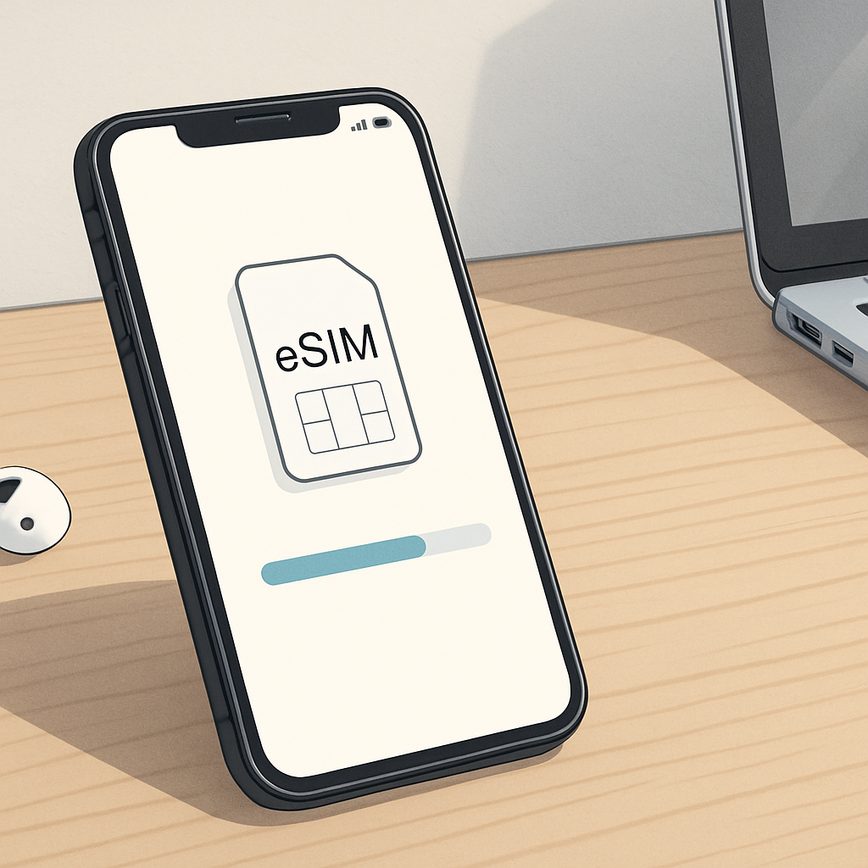
Why eSIM is convenient for remote work
18/04/2026
Start by evaluating your typical data consumption—do you mostly send emails and browse documents, or do you frequently participate in video calls? Higher data demands necessitate plans offering larger data allowances or unlimited options. Conversely, if your work primarily involves voice communication, ensure that the mobile plans include sufficient voice minutes without excessive fees.
Many providers offer flexible eSIM plans that can be customized or adjusted as your work needs evolve. Look for plans with easy top-up options or the ability to switch between different data and voice packages, reducing the risk of overpaying for unused services. Additionally, check coverage quality and speed, as reliable connectivity is the backbone of effective remote work.
In summary, choosing the right eSIM plan involves a balance between data plans and voice options, tailored to your specific work connectivity requirements. By carefully selecting an eSIM plan that matches your workload and communication style, you can ensure seamless remote work experiences without disruption or unexpected costs.
Setting Up eSIM on Various Devices
Activating eSIM on your devices is a straightforward process that ensures seamless connectivity for remote work. With device compatibility spanning smartphones and laptops, follow these step-by-step instructions to get started with eSIM setup efficiently.
- Check Device Compatibility: Ensure your smartphone or laptop supports eSIM functionality. Most recent models from major brands include this feature. Confirm from your device settings or manufacturer’s website.
- Obtain an eSIM Activation QR Code or Details: Contact your carrier or use an eSIM service provider to receive your eSIM activation QR code or manual setup details like activation code and URL.
- Smartphone eSIM Setup: For iOS and Android devices, navigate to your cellular or mobile data settings and choose “Add Cellular Plan” or “Add eSIM.” Scan the QR code using your phone’s camera or enter the eSIM details manually. Once the plan is added, activate it and restart if needed.
- Laptop eSIM Setup: On supported Windows or macOS laptops, open your network settings. Find the cellular option and select “Add a new plan.” Use the QR code scanner or manually input the eSIM setup information provided by your carrier. Follow on-screen instructions to enable the connection.
- Confirm and Test Connection: After activation, check your device for cellular signal and data accessibility. This ensures the eSIM is correctly installed and ready for your remote work needs.
Following these steps ensures smooth eSIM setup across all your devices, offering flexible and convenient connectivity essential for productive remote working.
Understanding eSIM Technology
eSIM technology represents a significant advancement in mobile connectivity, offering a more flexible and streamlined alternative to traditional physical SIM cards. An embedded SIM, or eSIM, is a digital SIM that is built directly into a device, eliminating the need for a removable card. This innovation allows users to activate cellular plans without having to insert or swap out a physical SIM card, making connectivity management more convenient than ever before.
The core of eSIM technology lies in its ability to store multiple profiles on a single embedded chip. Unlike conventional SIMs, which are tied to a single carrier and device, the digital SIM can securely download and store various operator profiles over the air. This capability enables users to switch networks or add new plans with just a few taps on their device, often without needing to visit a store or wait for a physical card to arrive.
At the heart of eSIM basics is a secure element chip embedded inside your device, such as a smartphone, tablet, or laptop. This chip acts as the digital equivalent of a traditional SIM card but with enhanced programmability and flexibility. Mobile network operators provision the embedded SIM remotely through secure channels, allowing the device to authenticate and connect to cellular networks as if a physical SIM card were installed. This remote provisioning is standardized by the GSMA, the global industry association for mobile operators, to ensure compatibility and security across devices and networks worldwide.
One of the main advantages of the embedded SIM is its convenience for remote work and global travel. Users can manage multiple mobile plans from different carriers without physically changing the SIM card, which is especially useful for keeping connected in various locations or while frequently switching between business and personal plans. The digital SIM supports seamless transitions between networks, making it easier to maintain uninterrupted connectivity wherever you are.
In summary, eSIM technology revolutionizes how mobile connectivity is managed by integrating the SIM right into the device as a digital SIM. Its embedded nature, combined with remote provisioning capabilities, provides greater flexibility and simplicity than traditional SIM cards. Understanding eSIM basics reveals why this technology is rapidly becoming essential for anyone seeking more convenient, efficient, and adaptable mobile network solutions.
What is an eSIM?
The definition of eSIM revolves around its nature as an embedded SIM card that is integrated directly into a device, unlike traditional SIM cards which are physical cards that must be inserted and swapped manually. eSIM technology eliminates the need for a physical card by storing the subscriber’s information electronically within the device itself. This innovation allows users to activate cellular service without having to handle or manage multiple SIM cards.
eSIM explained simply means that the SIM functionality is built into smartphones, tablets, laptops, and other gadgets, providing a seamless and more flexible approach to mobile connectivity. Instead of relying on a removable SIM card, eSIM devices connect to carrier networks through software profiles that can be downloaded and updated remotely. This makes switching carriers or plans much easier and quicker compared to the traditional SIM card process.
Overall, the embedded SIM card offers significant convenience and efficiency improvements over the conventional SIM card systems. It supports multiple profiles on one device, does away with the risk of losing or damaging physical cards, and enables better use of space in device design. As a result, eSIMs are rapidly becoming the preferred choice for modern mobile communication needs.
How eSIM Works for Mobile Connectivity
Activating and managing mobile plans with an eSIM is a seamless process that enhances mobile connectivity for users, especially remote workers. Unlike traditional physical SIM cards, an eSIM is embedded directly into your device, allowing you to digitally download and activate mobile plans without needing a physical card swap. This flexibility is particularly advantageous for those who frequently travel or switch carriers.
The eSIM activation starts by scanning a QR code or entering a unique activation code provided by your mobile carrier. This code links your device to the carrier’s network digitally, instantly provisioning your mobile service. The entire setup is done through the device’s settings, where users can select, add, or remove eSIM profiles effortlessly. This means multiple mobile plans can be stored on a single device, making it easy to manage work and personal numbers or to switch between networks based on location or coverage.
Beyond activation, eSIM’s digital SIM functions allow for quick updates and plan adjustments without visiting a store. Mobile plans can be modified or upgraded remotely, streamlining connectivity management. This capability not only saves time but also ensures continuous and reliable mobile connectivity, a critical factor for remote workers who rely on uninterrupted internet access for communication and productivity.
Benefits of eSIM for Remote Work
eSIM technology offers a range of significant benefits that cater perfectly to the evolving needs of remote work. As remote work becomes increasingly prevalent, the demand for reliable and flexible mobile work solutions grows. eSIMs eliminate the traditional constraints of physical SIM cards, providing a seamless and adaptable connectivity experience for remote professionals.
One of the primary advantages of eSIM is its flexibility in managing mobile network connectivity. Remote workers can easily switch between different network providers and plans without needing to physically swap SIM cards. This capability ensures continuous access to the best available networks, which is essential for maintaining productivity and communication regardless of location.
eSIM benefits also extend to enhanced device management. With eSIM, remote workers can handle multiple profiles on a single device, allowing them to separate work and personal lines or connect to various networks while traveling. This multi-profile functionality supports efficient workflow and reduces the need to carry multiple devices, streamlining the mobile work setup.
For employers and IT managers, eSIM technology offers simplified device provisioning and remote management. Instead of physically distributing SIM cards, companies can activate and manage eSIM profiles remotely. This reduces logistical challenges and accelerates the deployment of mobile devices for a distributed workforce, supporting flexible and scalable remote work strategies.
Another critical aspect is the enhanced security that comes with eSIM technology. eSIMs provide a lower risk of SIM card theft or loss, as the digital SIM profiles are embedded securely within the device. This security feature is crucial for remote workers handling sensitive data, ensuring that connectivity remains both reliable and safe.
Overall, eSIM technology is transforming remote work by empowering mobile workers with flexible connectivity options, improved device management, and robust security. As more businesses embrace mobile work solutions, the adoption of eSIM will play a key role in enabling seamless and efficient remote work experiences worldwide.
Enhanced Connectivity Without Physical SIM Swapping
One of the standout advantages of eSIM technology is its ability to provide enhanced connectivity without the need for physical SIM swapping. Traditionally, changing mobile carriers or plans involved physically removing one SIM card and inserting another, a process that could be inconvenient and time-consuming. eSIM eliminates this hassle by enabling users to download and activate multiple carrier profiles directly onto their device’s embedded SIM chip.
This leads to seamless transitions between carriers or plans, making it easier than ever to manage connectivity on the go. Whether you’re switching to a local carrier in a new country or upgrading your plan for better service, you no longer need to worry about keeping track of physical SIM cards or risking damage during swaps. Everything happens digitally, resulting in greater flexibility and speed.
For remote workers, this means uninterrupted connectivity no matter where work takes them. The no SIM swapping feature ensures that a change in carrier or plan happens instantly, without downtime. Your device stays connected, and your workflow remains smooth. In essence, eSIM technology empowers you with continuous connectivity, removing physical barriers and providing an experience tailored to the demands of modern, mobile work environments.
Multi-Carrier Support for Global Remote Workers
One of the standout features of eSIM technology is its support for multiple carriers worldwide, making it a game-changer for global remote workers and frequent travelers. Unlike traditional SIM cards, which require physical swapping when changing networks, eSIMs allow users to switch between various carriers digitally without ever needing to handle a physical SIM. This capability provides seamless global roaming and international connectivity, crucial for professionals who move across borders regularly.
Multi-carrier support means that remote workers can select the best local networks wherever they are, ensuring faster data speeds, better coverage, and reduced roaming charges. This flexibility is ideal for those working remotely from diverse locations, as it eliminates the inconvenience and cost of purchasing and managing multiple SIM cards. With just one device, eSIM users can maintain uninterrupted communication and stay connected to their work no matter where their travels take them.
Moreover, eSIM’s ability to handle multiple profiles simplifies managing international connectivity. Users can store several carrier profiles on a single device and switch between them effortlessly, optimizing their service experience and ensuring consistent access to high-quality mobile networks. For global remote workers, this means enhanced productivity and peace of mind, as their connectivity adapts dynamically to their location, thanks to multi-carrier support enabled by eSIM.
Improved Device Management and Security
eSIM technology significantly enhances device management by allowing remote provisioning and configuration of mobile connectivity without the need for physical SIM cards. This remote management capability makes it easier for IT teams to oversee and control devices used by remote workers, regardless of their location. Devices can be activated, updated, or reconfigured over-the-air, streamlining operations and reducing downtime.
From a security perspective, eSIMs offer robust protection compared to traditional SIM cards. Because eSIM profiles are digitally encrypted and securely stored on the device, they are less vulnerable to physical tampering or SIM swapping attacks. This inherent eSIM security helps protect sensitive corporate data and communications, which is critical for remote work environments.
Furthermore, eSIMs simplify device lifecycle management by enabling centralized control and consistent policy enforcement across all remote devices. IT administrators can remotely monitor and manage device connectivity, ensuring compliance with security protocols without requiring direct physical access. This centralized approach to device management paired with enhanced eSIM security provides a reliable and efficient solution for organizations supporting remote workforces.
In summary, eSIM technology not only improves device management by enabling remote management capabilities but also strengthens security, making it an ideal choice for businesses aiming to support and secure their remote teams effectively.
Practical Tips for Using eSIM in Remote Work
For remote workers, leveraging eSIM technology can significantly simplify connectivity and enhance productivity. To get started, ensure your device compatibility by checking if your smartphone, tablet, or laptop supports eSIM functionality. Most modern devices do, but verifying this early prevents connectivity issues down the line.
When it comes to eSIM setup, follow a straightforward process: activate the eSIM profile provided by your carrier or eSIM plan provider, often via a QR code or activation code. Keep a backup plan in mind, such as maintaining a physical SIM card or an alternate eSIM profile, to avoid losing network access during travel or unexpected disruptions.
Choosing an eSIM plan tailored to your remote work needs is crucial. Look for flexible plans offering sufficient data, international coverage if you travel, and competitive pricing. Many providers now offer pay-as-you-go options or monthly subscriptions with easy switching capabilities, optimizing cost and convenience.
Integrate eSIM management into your daily remote work routine by regularly monitoring your data usage and plan validity to avoid sudden disconnections. Use apps or carrier websites that provide real-time usage stats and the option to top up or switch plans seamlessly, ensuring uninterrupted connection regardless of your location.
Finally, stay informed about new remote work tips related to eSIM technology. As eSIM adoption grows, new features and service options emerge, such as improved network switching and dual SIM management. Keeping up with these developments will help you optimize your mobile connectivity for efficient and hassle-free remote work.
Choosing the Right eSIM Plan for Your Work Needs
Selecting the appropriate eSIM plan is crucial for maximizing work connectivity, especially for remote professionals who rely heavily on mobile and data plans. When considering eSIM plans, assess your data usage patterns and voice call requirements to find a package that aligns perfectly with your daily work tasks.
Start by evaluating your typical data consumption—do you mostly send emails and browse documents, or do you frequently participate in video calls? Higher data demands necessitate plans offering larger data allowances or unlimited options. Conversely, if your work primarily involves voice communication, ensure that the mobile plans include sufficient voice minutes without excessive fees.
Many providers offer flexible eSIM plans that can be customized or adjusted as your work needs evolve. Look for plans with easy top-up options or the ability to switch between different data and voice packages, reducing the risk of overpaying for unused services. Additionally, check coverage quality and speed, as reliable connectivity is the backbone of effective remote work.
In summary, choosing the right eSIM plan involves a balance between data plans and voice options, tailored to your specific work connectivity requirements. By carefully selecting an eSIM plan that matches your workload and communication style, you can ensure seamless remote work experiences without disruption or unexpected costs.
Setting Up eSIM on Various Devices
Activating eSIM on your devices is a straightforward process that ensures seamless connectivity for remote work. With device compatibility spanning smartphones and laptops, follow these step-by-step instructions to get started with eSIM setup efficiently.
- Check Device Compatibility: Ensure your smartphone or laptop supports eSIM functionality. Most recent models from major brands include this feature. Confirm from your device settings or manufacturer’s website.
- Obtain an eSIM Activation QR Code or Details: Contact your carrier or use an eSIM service provider to receive your eSIM activation QR code or manual setup details like activation code and URL.
- Smartphone eSIM Setup: For iOS and Android devices, navigate to your cellular or mobile data settings and choose “Add Cellular Plan” or “Add eSIM.” Scan the QR code using your phone’s camera or enter the eSIM details manually. Once the plan is added, activate it and restart if needed.
- Laptop eSIM Setup: On supported Windows or macOS laptops, open your network settings. Find the cellular option and select “Add a new plan.” Use the QR code scanner or manually input the eSIM setup information provided by your carrier. Follow on-screen instructions to enable the connection.
- Confirm and Test Connection: After activation, check your device for cellular signal and data accessibility. This ensures the eSIM is correctly installed and ready for your remote work needs.
Following these steps ensures smooth eSIM setup across all your devices, offering flexible and convenient connectivity essential for productive remote working.

I’m a lifelong traveler who fell in love with the freedom that eSIM technology offers. Exploring new places while staying seamlessly connected has become my personal mission, and I love sharing practical tips on managing mobile data abroad. When I’m not testing the latest eSIM platforms, I’m mapping out the next adventure.